

Request a Demo →
Home/Products/Ornix POS
Ornix POS logo Ornix POS · Restaurant and Café Management

From table to kitchen, till to report: your whole business on one screen

Bring orders, table tracking, kitchen tickets, QR menu, stock, expenses and staff tracking into one system and see your day as it happens.

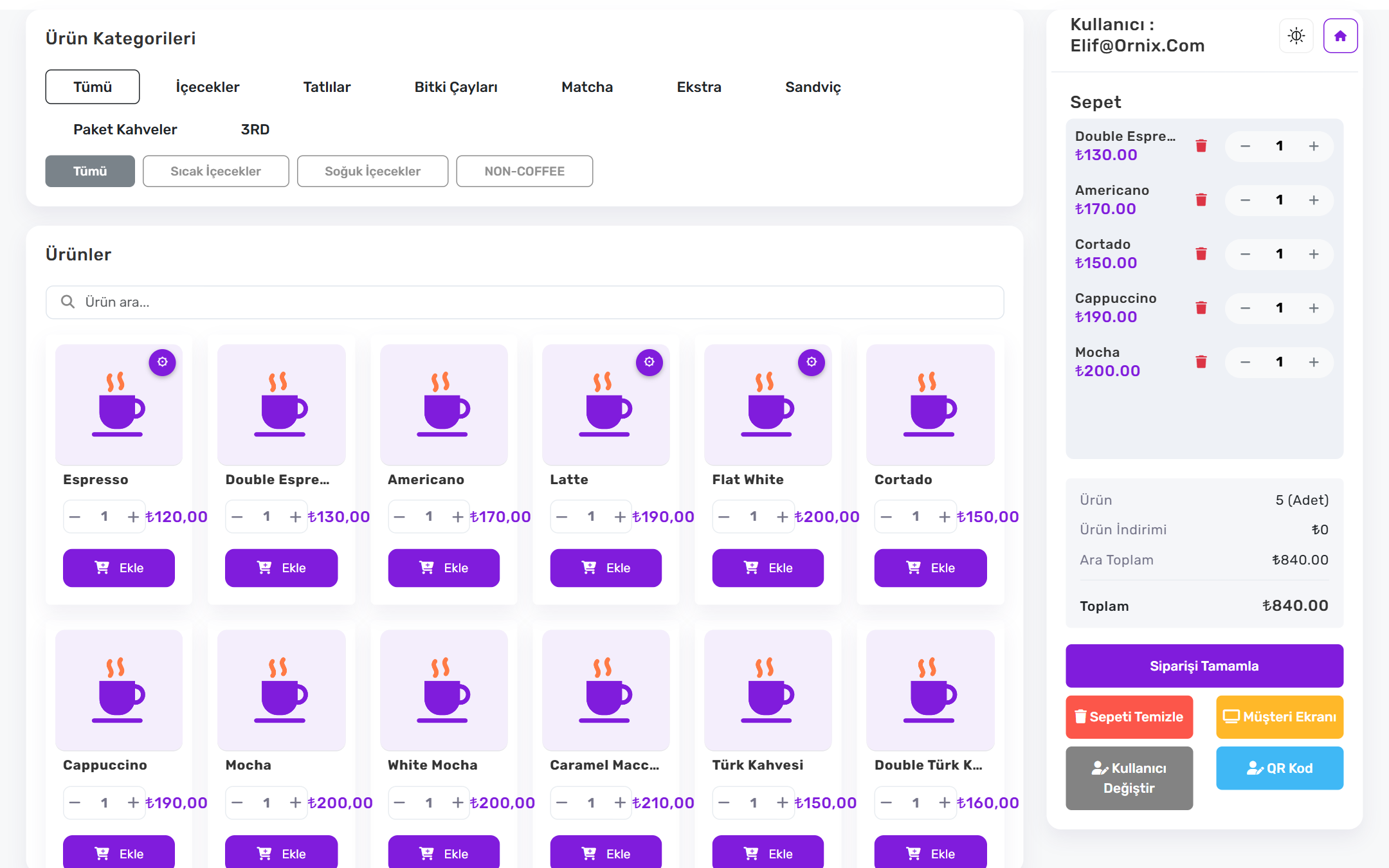
Ornix POS: Fast sales screen: categories, products and basket on one screen
Sound familiar?

Do these problems sound familiar?

Orders are passed to the kitchen verbally, and mistakes pile up at busy times.
Every menu or price change means printing again.
Stock and expenses are kept apart from sales, so real profit is never visible.
Staff check-ins and breaks are tracked in separate notebooks.
Features

What can you do with Ornix POS?

Fast sales screen

Fast ordering with product options and extras, receipt printing and split payments.

Tables and kitchen

Take an order at the table, send it to the kitchen, follow the bill and close the table.

QR menu

Guests see your menu on their phones; products and prices update from the system.

Customer display

The basket is shown to the customer live on a second screen.

Stock and expenses

Stock items, categories, counts and expense tracking by category.

Staff and reports

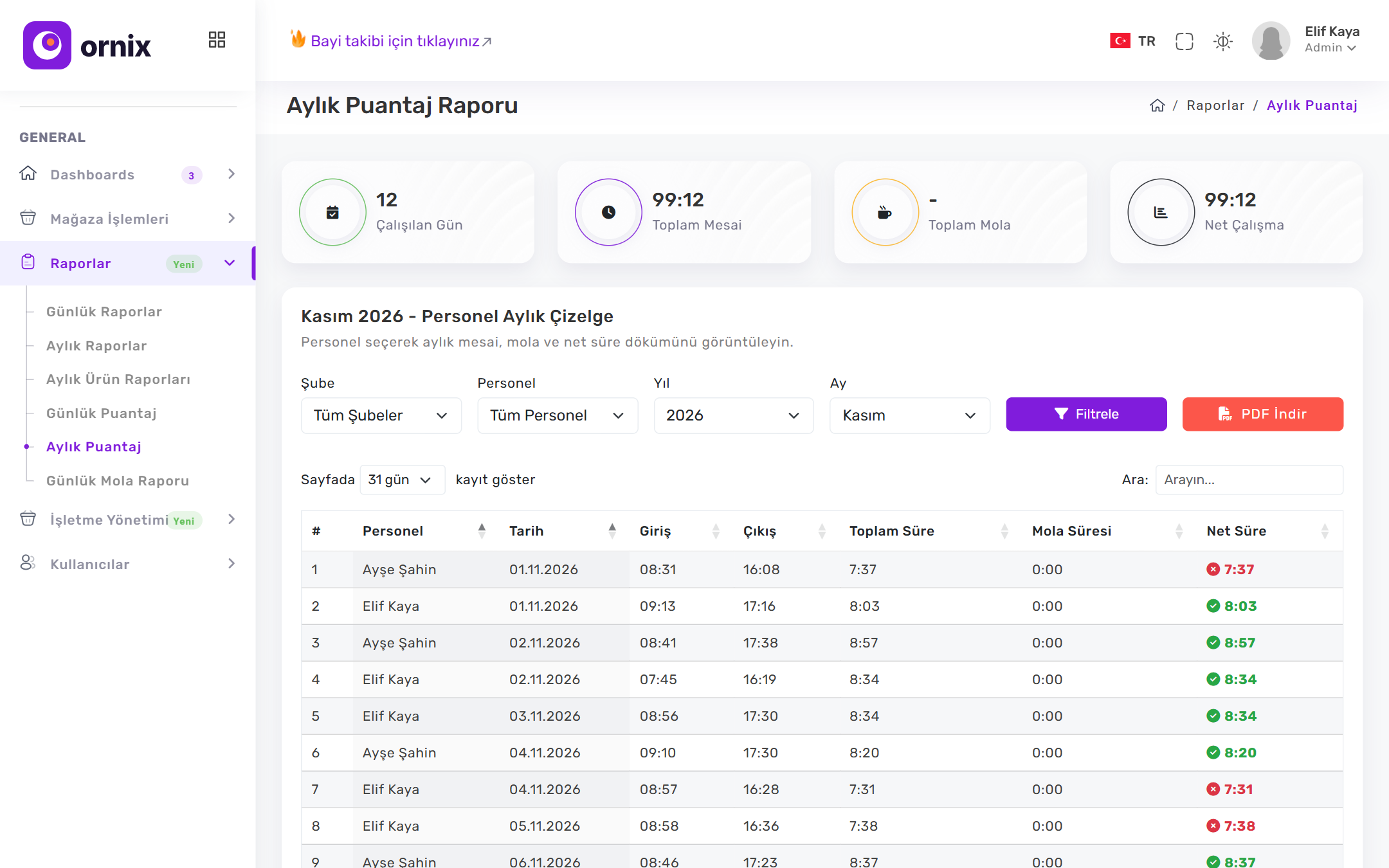
Check-in and break tracking; daily, monthly and product-based reports as PDF.
Screens

Sample screens

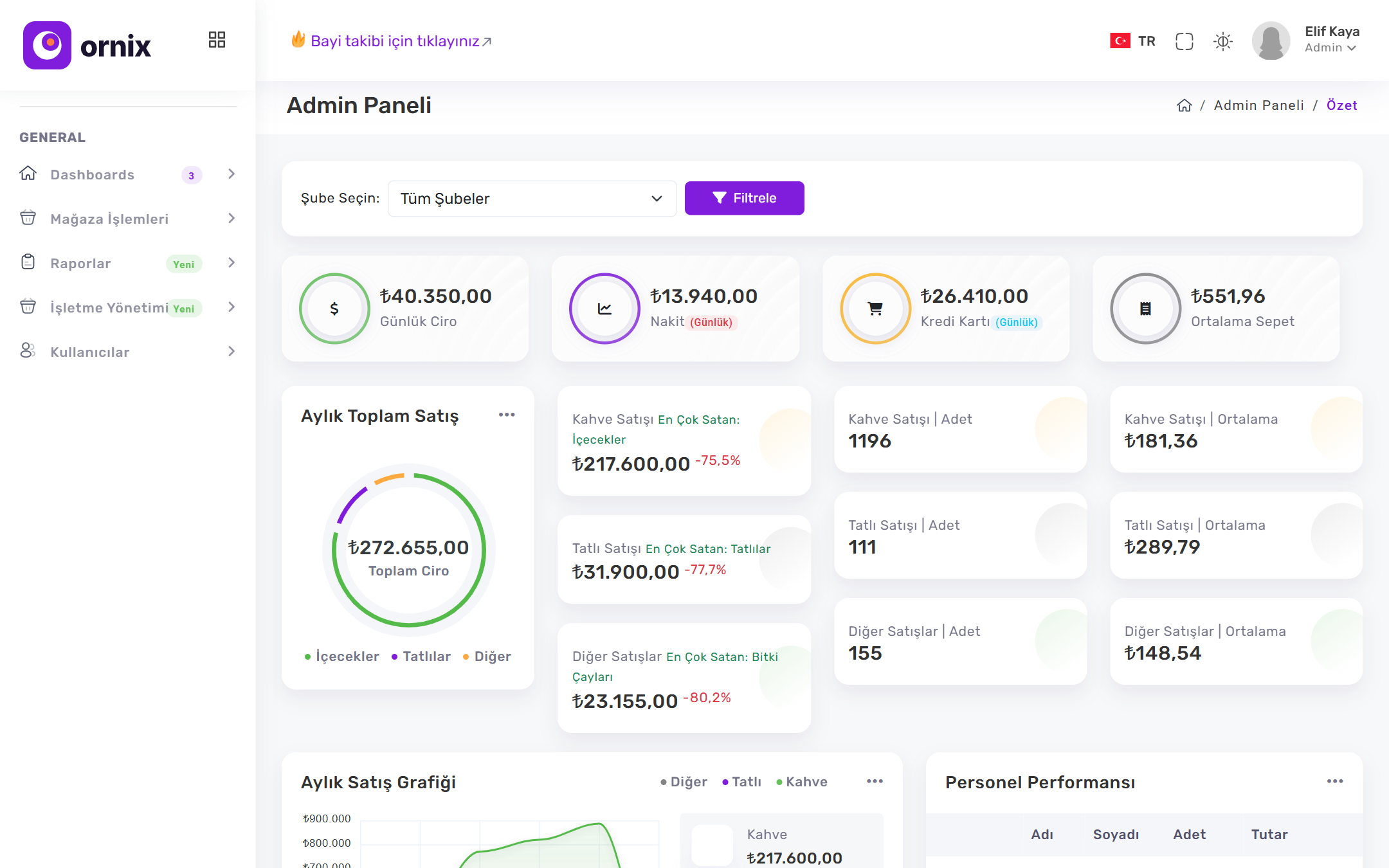
Ornix POS: Daily revenue, payment types and sales by category on one dashboard
Daily revenue, payment types and sales by category on one dashboard
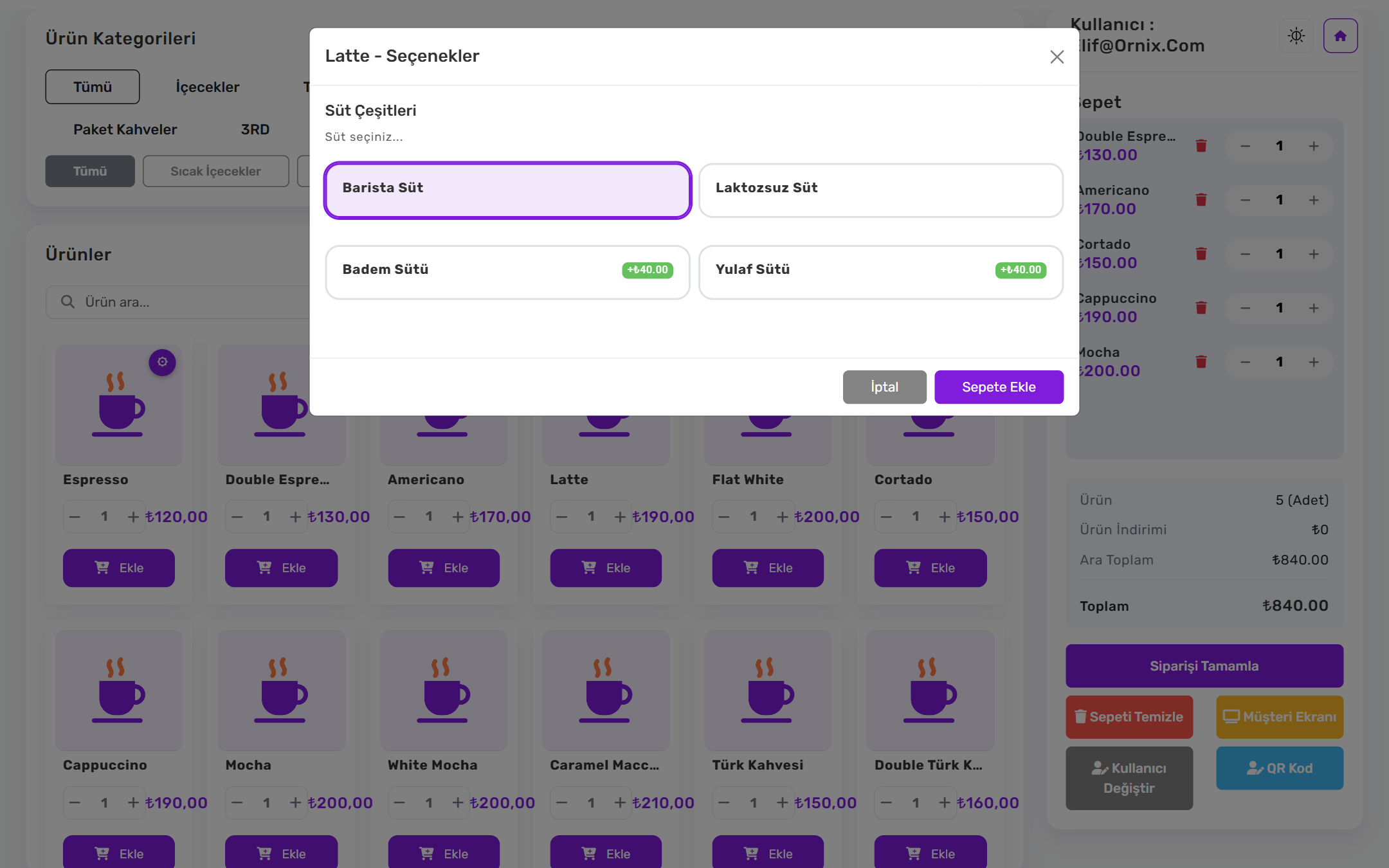
Ornix POS: Product options such as milk or syrup, with surcharges
Product options such as milk or syrup, with surcharges
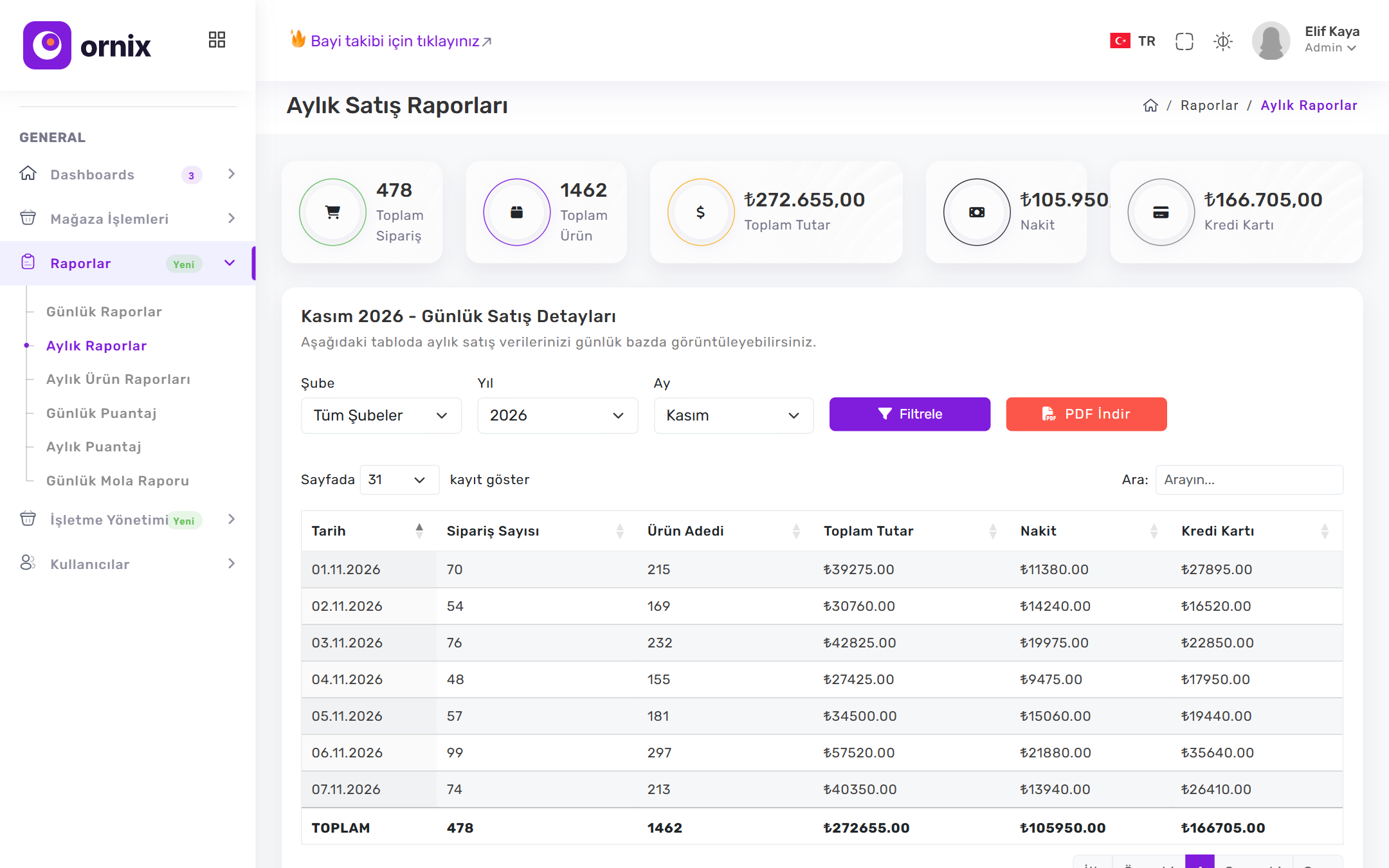
Ornix POS: Sales report by branch and month, split into cash and card
Sales report by branch and month, split into cash and card
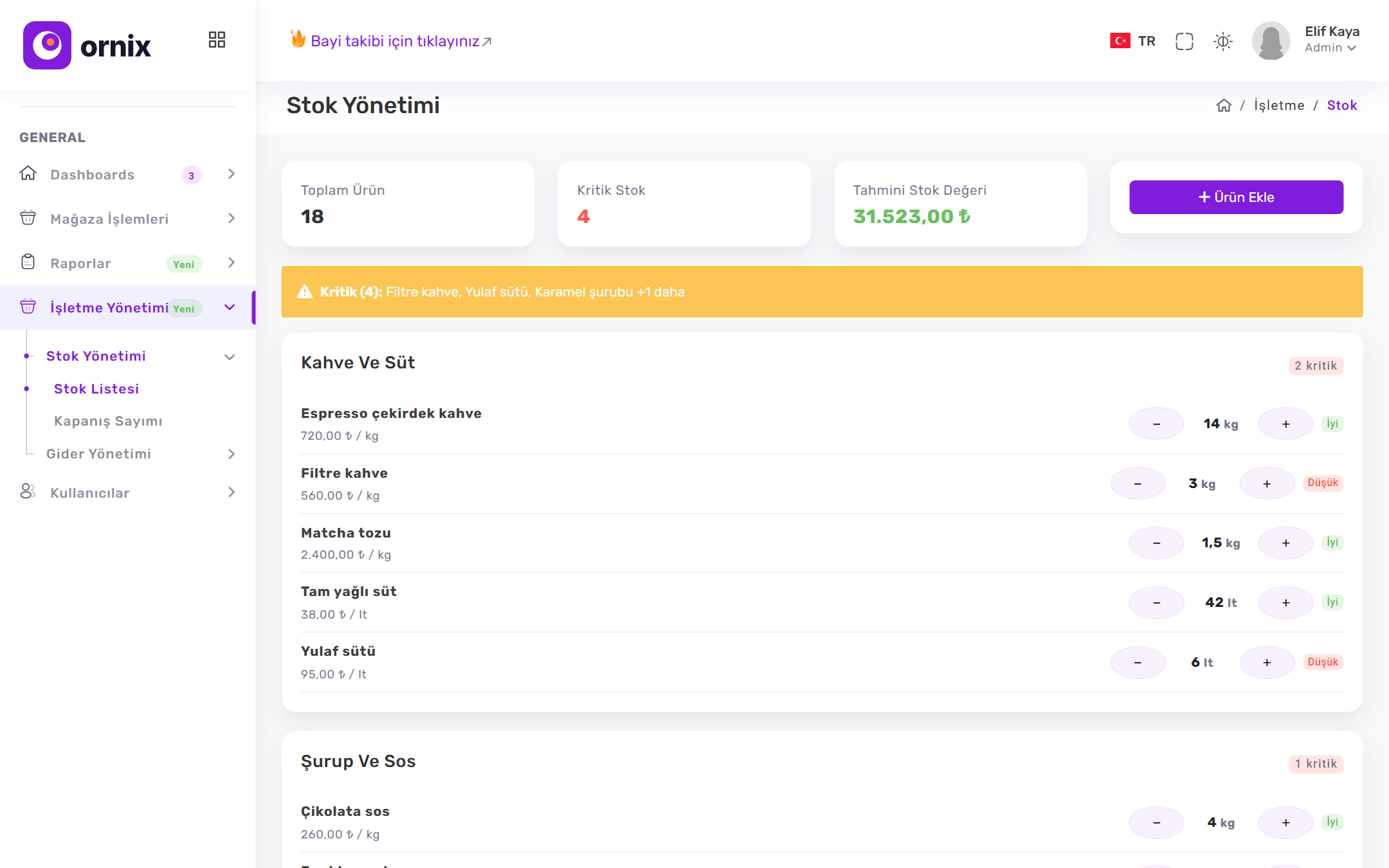
Ornix POS: Stock tracking with critical-level alerts
Stock tracking with critical-level alerts
Ornix POS: Staff check-ins and monthly timesheets
Staff check-ins and monthly timesheets
Who is it for?
  • Restaurants, cafés and similar table-service businesses
  • Businesses that want to monitor several branches from one place
  • Owners who want to see sales, stock and staff in one system
FAQ
Is there a free trial?

Instead of self sign-up, we offer a demo tailored to you. After you fill in the form, our team calls you, listens to your needs and sets up demo access so we can explore the product together.

Do we need a separate system for the QR menu?

No. The QR menu is built from your products in Ornix POS; there's no separate menu to prepare.

Is staff tracking included?

Yes. Staff check-ins and breaks are recorded and reported inside Ornix POS.

I'm already a customer; where do I log in?

The Customer Login button on this page takes you straight to the product's login screen.

See Ornix POS in your business.

Fill in the form and our team will call you to set up a tailored demo.

Privacy Policy and Data Protection Notice